Rochester Institute of Technology | 08/2025 - 12/2025
Key Points
- Redesigned the interface of an existing mobile app — Google Tasks — to completely change its visual style
- Gained experience in UX research, using personas and moodboards to design for a new user group
- Gained design experience in the use of texture, color, and typography to create a cohesive visual style
Overview
This exercise was part of my Graphic User Interface class in the fall of 2025. Choosing an existing app to work off of, I was tasked with changing the presentation and style of the app to focus on a new user group. I chose Google Tasks for its clear structure and plain style. I chose to refocus the app’s visual appearance to appeal to a more narrow user group, young adults and students.
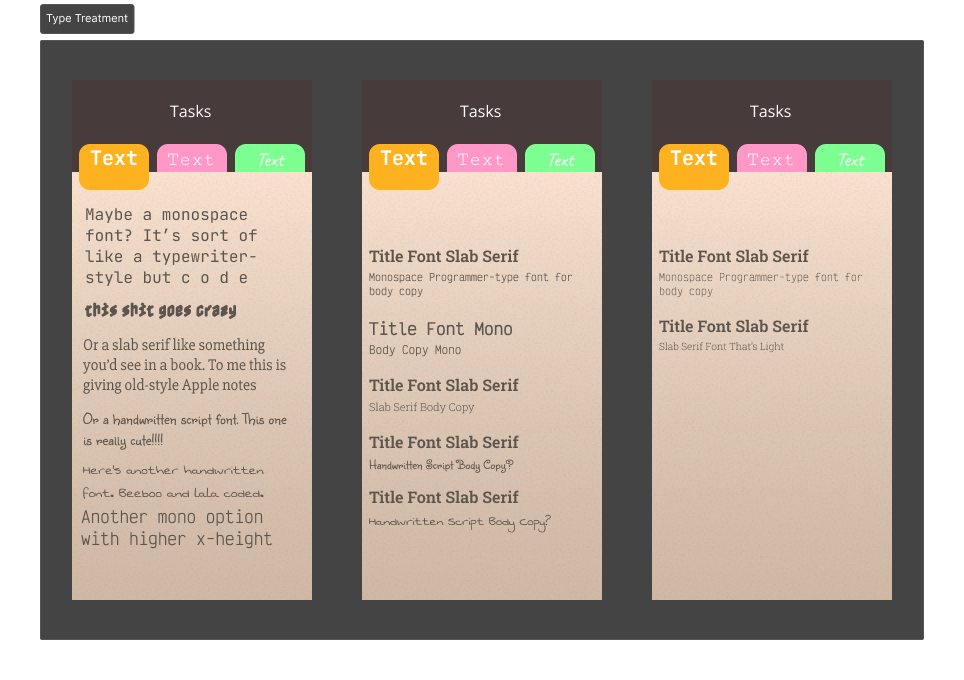
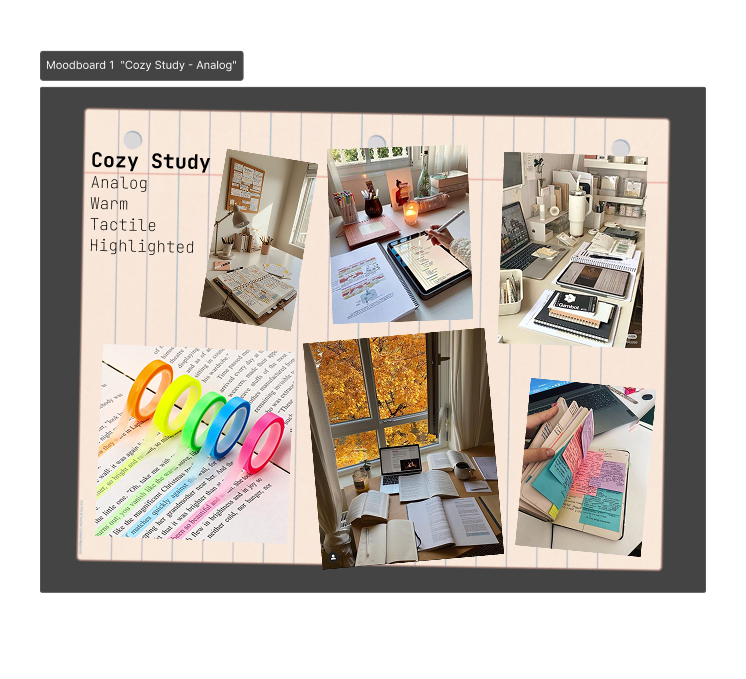
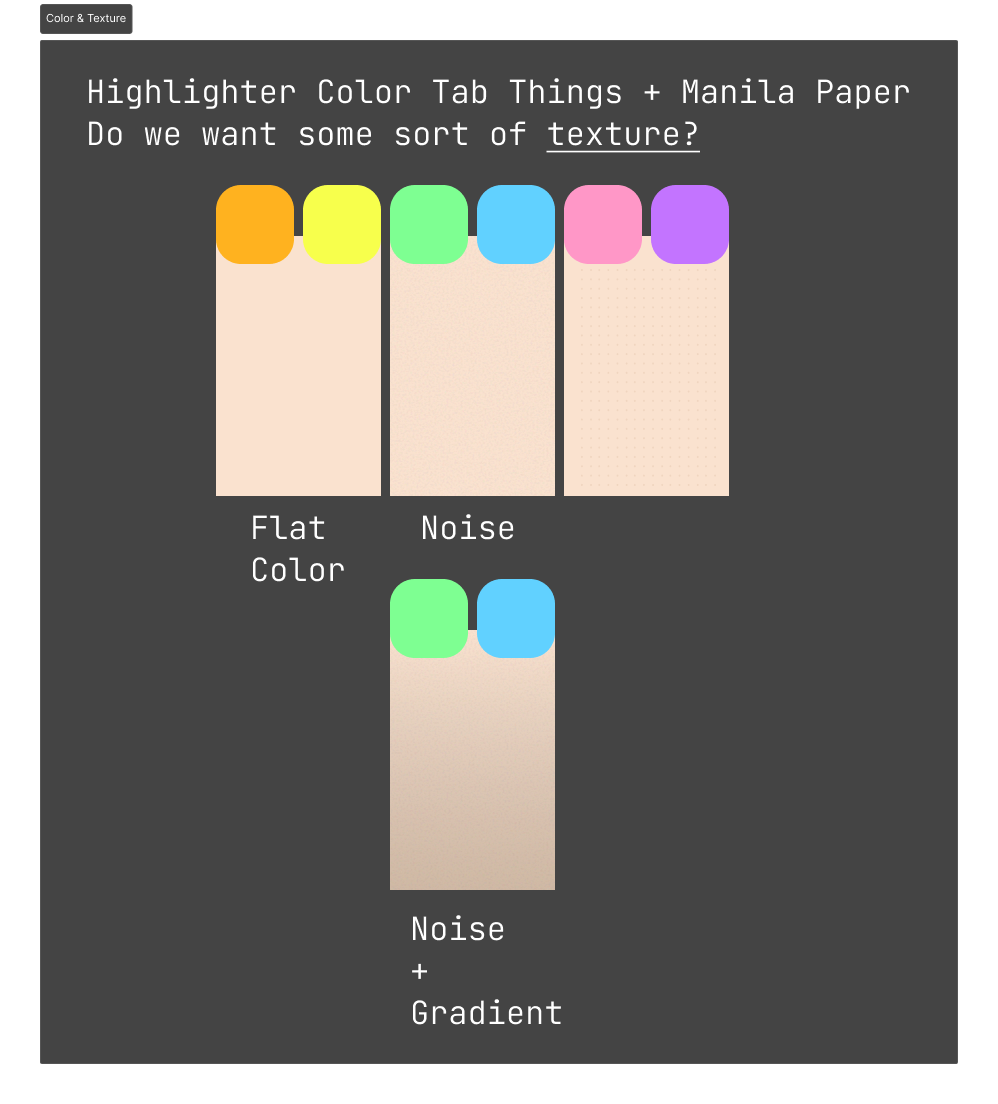
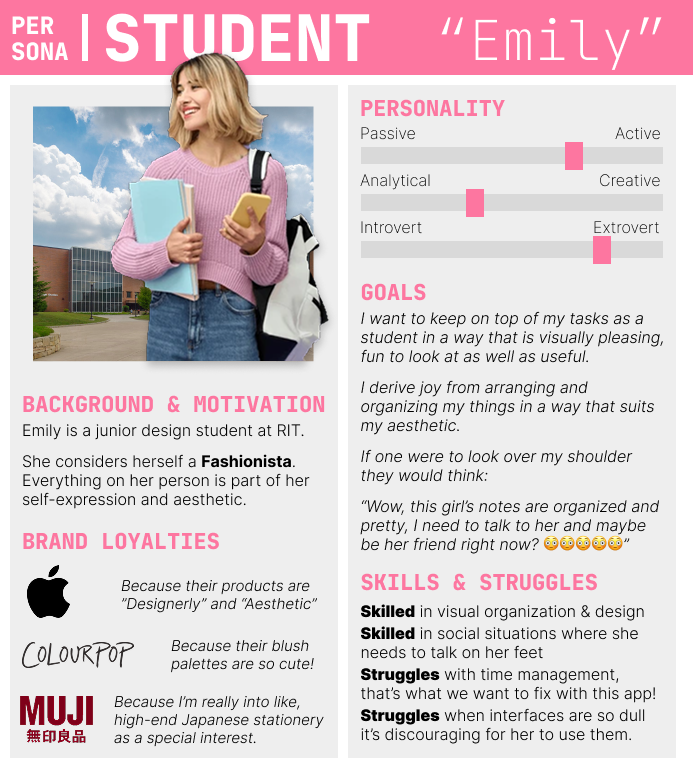
I took an approach that was inspired a lot by pen-and-paper notes, stationery and bullet journalling. I created mood boards and a persona to further develop the aesthetic and the type of user I was designing for, created prototypes to explore color, texture and type treatment, and created a final mockup in Figma of the redesign after iteration.
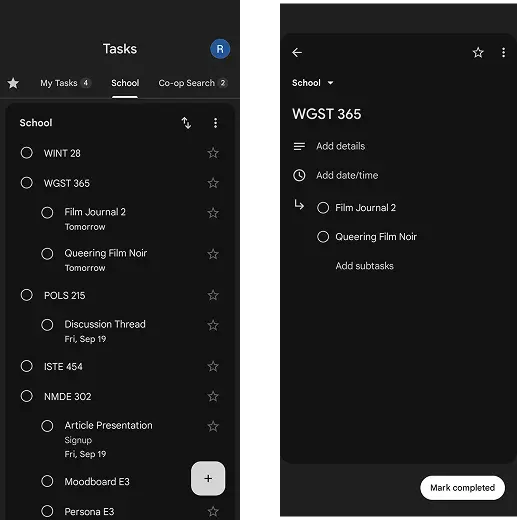
Original Screens
The original screens of Tasks app are plain. This works for a Google product, it fits with their design system and is meant to appeal to as many users as possible.
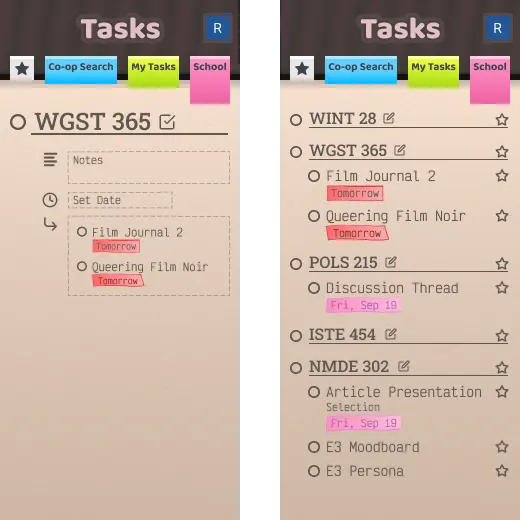
Revamped Screens
The revamped screens show a more colorful and textured design style, focusing down on a user group who appreciate a more personal, expressive and fun interface.
Design Artifacts